
Diwa Wow Payment Guide: Simple Steps, Safe Options, and Helpful Tips
Starting on an online gaming site should feel simple. A clear payment guide can help players understand the options shown on the Diwa Wow platform and choose a method that feels familiar.
Diwa Wow brings different games together in one place, giving players a single platform to explore a wide range of gaming experiences. A safe payment experience starts with careful checks.
Use only the official Diwa Wow payment guide, website, or app. Read each instruction before continuing. Keep passwords and payment details private. If a payment is delayed, check the transaction status before trying again.
Ritika Nandakumar
Last updated 20 October 2026
Diwa Wow Payment Page Works for New and Returning Players
The payment page may also be called a cashier, wallet, or account payment section. This page shows the methods available for an account. It also gives instructions for completing a transaction.
The usual steps are simple. Sign in to the official Diwa Wow account, open the payment section, and review the listed methods. Choose a method and follow the steps on screen. Before confirming, check that the details are correct. After approval, look for a confirmation message or reference number.
After completing a payment, check the account history for an update. A payment may take time to appear because the bank or payment provider needs to send confirmation. If the status is still unclear, save the reference number and contact official support.
UPI Payments on Diwa Wow for a Familiar Indian Digital Payment Option
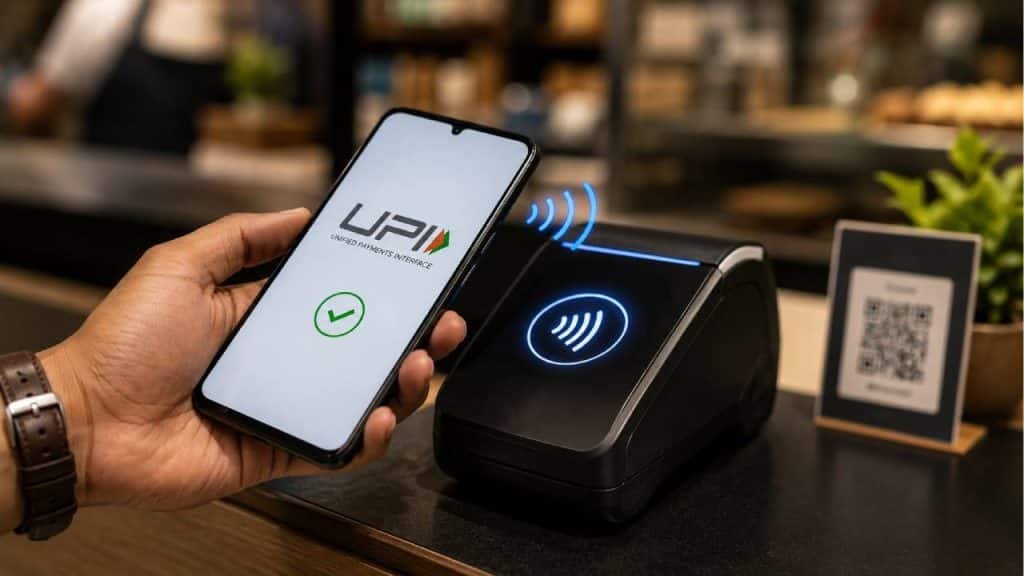
UPI, or Unified Payments Interface, is a popular digital payment method in India. Many people use UPI apps for everyday online payments. The method can be quick and easy when a UPI option appears on the Diwa Wow payment page.
The payment steps may differ slightly between apps. Diwa Wow may show a QR code, ask for a UPI ID, or open a supported UPI app. Follow the instructions shown on the official payment page. Check the payment details inside the UPI app before approving the request.
UPI access and transaction limits can depend on the bank, app, and payment provider. If a payment does not appear right away, check the UPI app’s transaction history. Then check the Diwa Wow account history. Avoid repeating the payment until the first request has a clear status.
Debit Card Payments on Diwa Wow for Direct Card Checkout
A debit card can be a familiar choice for players who prefer to pay through a bank card. If Diwa Wow lists debit cards, the payment page may ask for card details and other information needed for checkout. The bank may also ask for a one-time password or app approval.
Enter card details only on the official Diwa Wow payment page. Check the website address before entering any information. Never send a full card number, security code, or one-time password through chat, email, or social media.
Before approving a card payment, check the amount and other details shown on screen. If the bank sends an approval request, confirm that the request matches the payment being made. After the transaction, keep the confirmation details and check the Diwa Wow account history.
Credit Card Payments on Diwa Wow for Players Who Prefer Card Payments
A credit card may be available as another direct payment option. The steps are often similar to debit card checkout. Enter the requested card details on the official payment page, check the details, and complete any bank verification.
Some card payments need extra approval from the card provider. Approval may happen through a one-time password, a message, or a banking app. Follow the instructions from the official bank or card provider. Never share a one-time password with a person who contacts you.
Net Banking on Diwa Wow for Payment Through a Bank Website
Net banking lets players approve a payment through a bank’s online service. If net banking appears on Diwa Wow, choose the bank listed on the payment page. The page may then open the bank’s official website or app.
Net banking can be useful for players who prefer to approve a payment through a bank rather than a separate payment app. The banks shown on the Diwa Wow page may change. If a bank is not listed, do not use an unofficial link or outside service to try to complete the payment.
Mobile Wallets on Diwa Wow for a Convenient App-Based Payment
A mobile wallet or digital payment app may appear among the Diwa Wow payment options. Wallets can make checkout simple for players who already use a supported app. The steps may include opening the wallet, checking the payment details, and approving the request.
Wallet providers may have their own rules, checks, and transaction limits. These rules can change. Check the provider’s official help page for questions about a wallet account or app. Contact Diwa Wow support for questions about a payment showing on the gaming platform.
Never approve a wallet request that appears unexpectedly. Do not share wallet passwords, PINs, or one-time passwords. A safe checkout should show clear details before approval.
Prepaid Vouchers and Other Payment Methods Listed on Diwa Wow
Some gaming platforms may offer prepaid vouchers or other local payment choices. A voucher usually has a code that must be entered on the payment page. If Diwa Wow lists a voucher option, follow the instructions shown on the official page.
Buy vouchers only from an authorized seller. Keep the code private, because another person may be able to use a code that has been shared. Before using a voucher, check its expiry date and any rules about where the voucher can be used.
Other payment methods may appear as Diwa Wow updates its services. The official payment page is the best place to check current options. Do not trust a person who offers an unofficial payment link or asks for a voucher code through a private message.
Easy Steps for Completing a Diwa Wow Payment Safely
Use this simple checklist before making a payment:
- Open the official Diwa Wow website or app.
- Sign in using a private device and a secure connection.
- Open the account payment section.
- Check the methods currently listed.
- Choose a method supported by the bank or payment provider.
- Read the payment details before approving.
- Complete any bank or app verification.
- Save the confirmation reference, if one appears.
- Check the Diwa Wow account history for an update.
Do not rush through the checkout. A short pause to check the details can help prevent mistakes. Never give a password, PIN, one-time password, or recovery code to another person. Official support should not need private login details.
Payment Security Tips for Diwa Wow Players in India
Good security habits can help protect a gaming account. Use a strong password that is not used on other websites. Turn on extra account security features if Diwa Wow offers them. Keep the phone, computer, browser, and payment apps updated.
Avoid entering payment details on public computers. Public Wi-Fi may not be safe for account activity. Use a trusted internet connection whenever possible. Always check the website address before signing in or making a payment.
Keep gaming balanced. Take breaks, follow platform rules, and choose games suitable for the player’s age. Use payment features carefully and only through options shown on the official Diwa Wow page.
When a Diwa Wow Payment Is Pending or Declined
A pending payment may need more time to update. The bank or payment provider may still be sending confirmation to Diwa Wow. Check the provider’s transaction history first. Then check the Diwa Wow account history.
Do not repeat a payment right away. A second request may create confusion if the first payment is still being processed. Wait for a clear update or contact official support for help.
If a payment is declined, check that the details are correct. For a card, confirm that online payments are allowed. For UPI or a wallet, check the app for a message about the payment. For net banking, confirm that the bank process was completed.
Using the Best Diwa Wow Payment Guide for Personal Needs
A smooth Diwa Wow payment guide experience starts with a clear choice, careful checks, and secure account habits. By understanding UPI, cards, net banking, wallets, and vouchers, Indian players can make informed decisions.
After checkout, players can return to exploring Diwa Wow games and enjoying the online gaming experience.
Start playing on Diwa Wow
Browse the game categories, read each game page, and play at a comfortable pace.